Visit the Pennsylvania State University Home Page

Stop Phishing Scams

The Latest Phishes Sent to Penn Staters

  • Office of Information Security
  • Phishing Home
  • What Is Phishing?
  • How to Report a Phish

Multiple Subjects: Penn State University or PSU IT- Technical Support or Ticket No: 9005637728 or Penn State Technical Support Ticket No: 9005637728

April 11, 2018 by mcl158


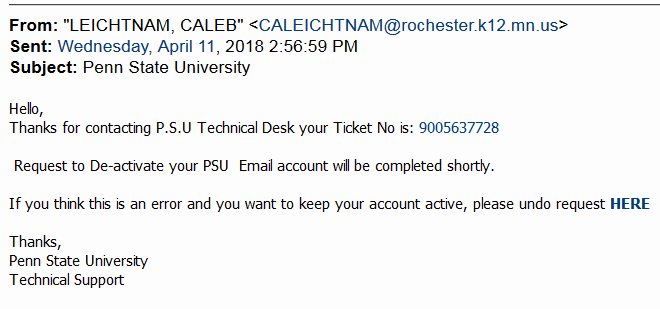
From: “LEICHTNAM, CALEB” <CALEICHTNAM@rochester.k12.mn.us>
Sent: Wednesday, April 11, 2018 2:56:59 PM
Subject: Penn State University

Hello,
Thanks for contacting P.S.U Technical Desk your Ticket No is: 9005637728

Request to De-activate your PSU Email account will be completed shortly.

If you think this is an error and you want to keep your account active, please undo request HERE

[ ^ Link leads to a generic login page in the jotform.com domain ^ ]

Thanks,
Penn State University
Technical Support
 

Filed Under: PSU Message and Generic Site Tagged With: bad "from" address, bad link address, no "to" address, no personalization

Update

November 14, 2017 by gle13


From: “Admin” <xxxxxx@psu.edu>
Sent: Monday, November 13, 2017 4:37:13 PM
Subject: Update


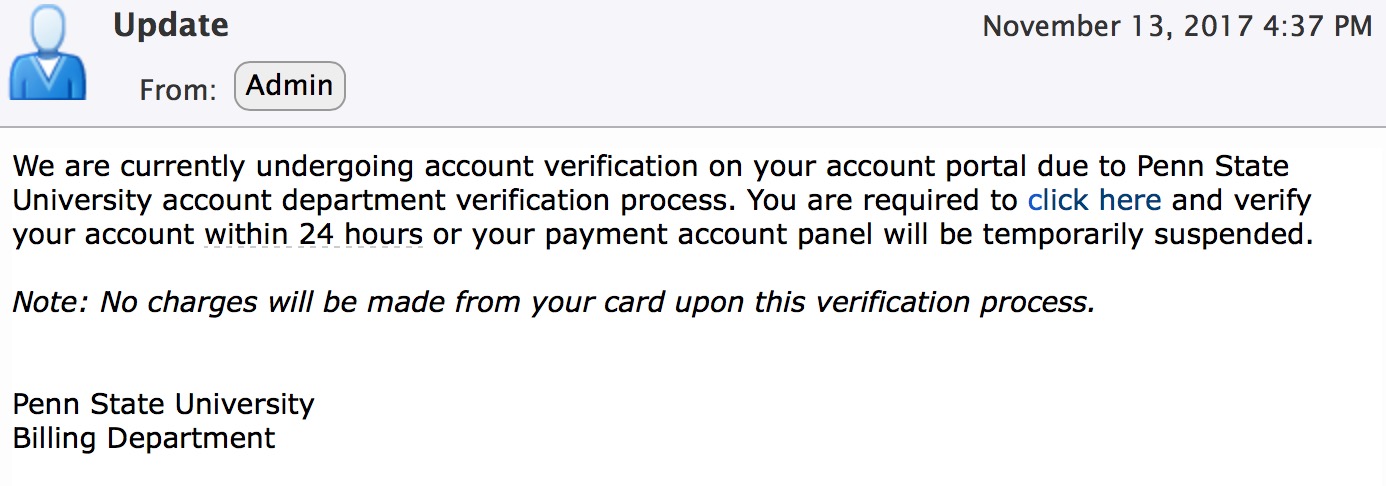
We are currently undergoing account verification on your account portal due to Penn State University account department verification process. You are required to click here [<–Link leads to a fake WebAccess page in the designrealtyteam.com domain] and verify your account within 24 hours or your payment account panel will be temporarily suspended.
Note: No charges will be made from your card upon this verification process.
 
 
Penn State University

Billing Department

Filed Under: PSU Message and Generic Site Tagged With: bad "from" address, bad "to" address, generic greeting, link shown is not the real link, no "to" address, no personalization

You have a New File –OR– Greetings! New Memo from HR Department -OR-xxx

July 5, 2017 by Paul Carlisle Kletchka

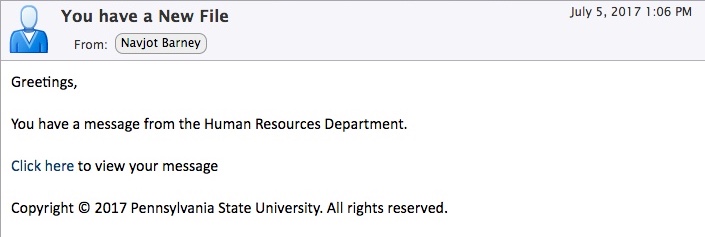
Phishing message from 1:06 p.m. on July 5, 2017

From: “Navjot Barney” <Navjot.Barney@xxx.xx>
Sent: Wednesday, July 5, 2017 1:06:14 PM
Subject: You have a New File

Greetings,

You have a message from the Human Resources Department.

Click here [<– link leads to a fake Outlook Web App login page in the telephonedepositiondirectory.com or charviassociates.net or alexender.tk domain] to view your message

Copyright © 2017 Pennsylvania State University. All rights reserved.


The slightly different message with the subject “Greetings! New Memo from HR Department” links to the same fake Outlook Web App login, but has a greeting that is personalized with the recipient’s email address.

Filed Under: PSU Message and Generic Site Tagged With: bad "from" address, generic greeting, no "to" address, no personalization

psu.edu UPDATE

June 19, 2017 by Paul Carlisle Kletchka

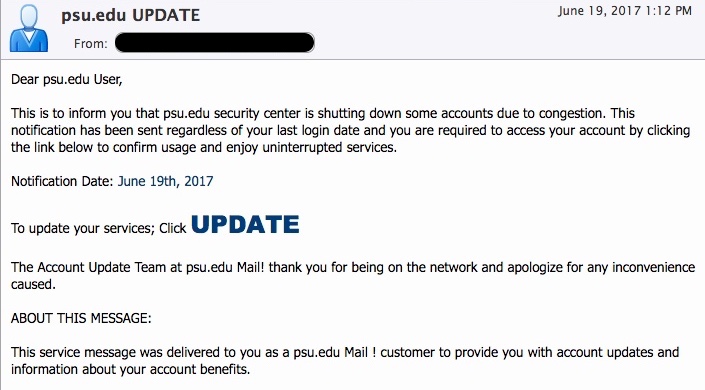
Phishing message from 1:12 p.m. on June 19, 2017

From: “xxxxxxxxx (xxxxxxxxx)” <xxxxxxxx@assumption.edu>
Sent: Monday, June 19, 2017 1:12:57 PM
Subject: psu.edu UPDATE

Dear psu.edu User,

This is to inform you that psu.edu security center is shutting down some accounts due to congestion. This notification has been sent regardless of your last login date and you are required to access your account by clicking the link below to confirm usage and enjoy uninterrupted services.

Notification Date: June 19th, 2017

To update your services; Click UPDATE [<– Link leads to a fake Zimbra login page in the 000webhostapp.com domain]

The Account Update Team at psu.edu Mail! thank you for being on the network and apologize for any inconvenience caused.

ABOUT THIS MESSAGE:

This service message was delivered to you as a psu.edu Mail ! customer to provide you with account updates and information about your account benefits.

Filed Under: PSU Message and Generic Site Tagged With: bad "from" address, generic greeting, no "to" address, no personalization

URGENT: your penn states account expires soon

February 6, 2017 by Paul Carlisle Kletchka

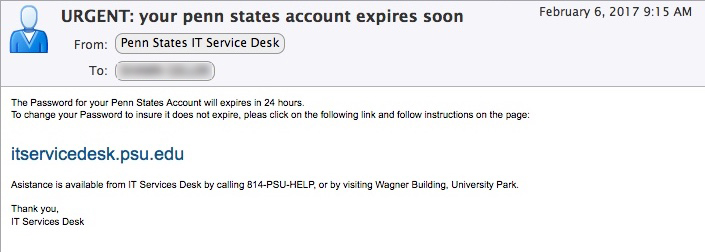
Phishing Message from February 6, 2017 at 9:15 a.m.

From: “Penn States IT Service Desk” <itservicedesks@pennstate.org>
To: “XXXX XXXX” <xxxxx@psu.edu>
Sent: Monday, February 6, 2017 9:15:00 AM
Subject: URGENT: your penn states account expires soon

The Password for your Penn States Account will expires in 24 hours.
To change your Password to insure it does not expire, pleas click on the following link and follow instructions on the page:

itservicedesk.psu.edu [<– Link leads to a generic login page at an address that starts with http://172.24.21.41/]

Asistance is available from IT Services Desk by calling 814-PSU-HELP, or by visiting Wagner Building, University Park.

Thank you,
IT Services Desk

Filed Under: PSU Message and Generic Site Tagged With: bad "from" address, bad link address, no personalization, poor grammar

  • 1
  • 2
  • Next Page »

Recently Reported Phishes

  • College Employment Job scam July 3, 2024
  • “MAILBOX VALIDATION” July 23, 2018
  • “New Message For You!” July 19, 2018
  • “Service Require Important Update Due To Insufficient Bandwidth” July 18, 2018
  • “Payment Received!” July 16, 2018
  • “Account-Update” July 16, 2018
  • “A notice from Microsoft(R) Network” July 11, 2018
  • “>>>New messages are on-hold!” July 10, 2018
  • “payment received today.” July 6, 2018
  • “Psu Account User” July 3, 2018

Search for a phishing message…

All Reported Phishes – By Month

  • July 2024
  • July 2018
  • June 2018
  • May 2018
  • April 2018
  • March 2018
  • February 2018
  • January 2018
  • December 2017
  • November 2017
  • October 2017
  • September 2017
  • August 2017
  • July 2017
  • June 2017
  • May 2017
  • April 2017
  • March 2017
  • February 2017
  • January 2017
  • December 2016
  • November 2016
  • October 2016
  • September 2016
  • August 2016
  • July 2016
  • June 2016
  • May 2016
  • April 2016

Subscribe to our Phishing feed

  • RSS - Posts
This website is maintained by the Office of Information Security (OIS).
 Visit the Pennsylvania State University Home Page
Copyright 2025 © The Pennsylvania State University Privacy Non-Discrimination Equal Opportunity Accessibility Legal

Copyright © 2025 · Genesis for PSU on Genesis Framework · WordPress · Log in